Official support

Charm AI, without the guesswork.

A clear guide to replies, dating tools, Chat Wrapped, profile coaching, Premium and the Charm keyboard.

7 tones Warm to Nonchalant
3 ways to add a chat Screenshot, text or bubbles
3 chat imports WhatsApp, Instagram, Messenger

Inside the app

See what Charm does.

A quick look at the current version of the app.

Charm AI introduction
Charm AI
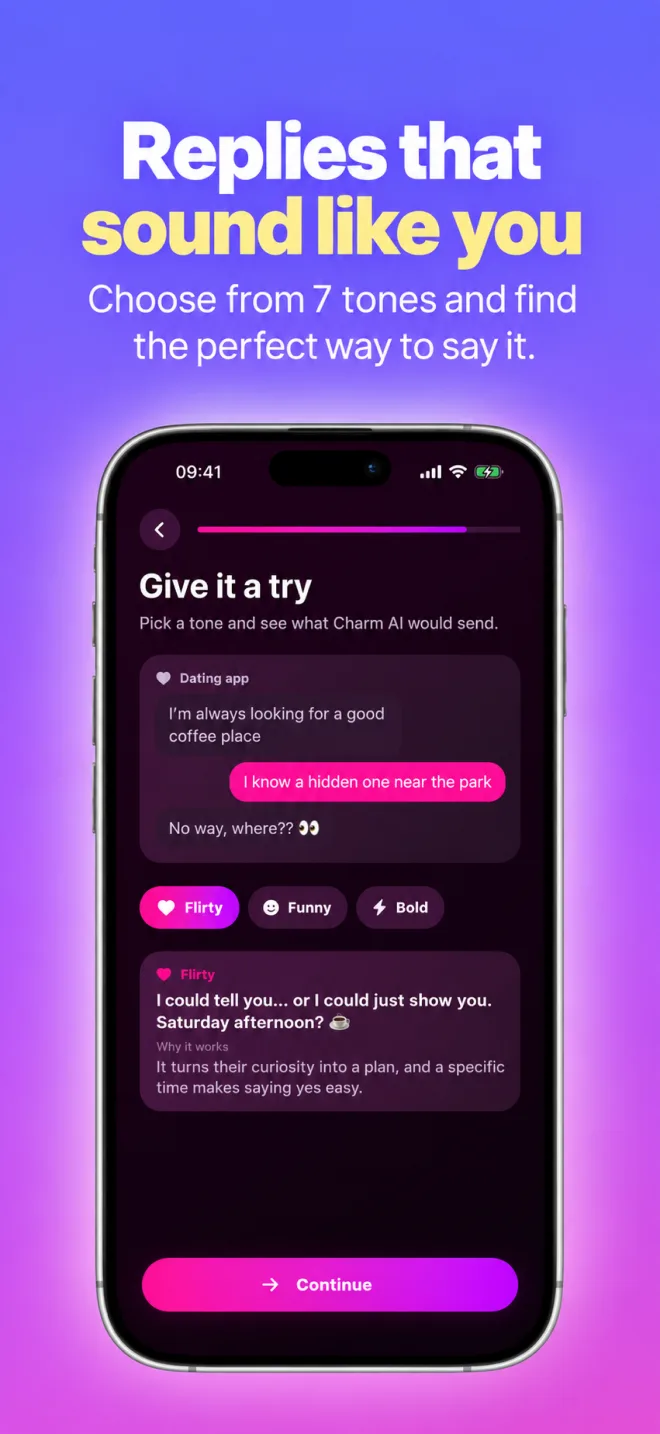
Charm AI tone choices and reply preview
Seven reply tones
Upload, paste or build a conversation in Charm AI
Get a reply
Charm AI tools screen
All tools
Chat Wrapped import guide
Chat Wrapped
Charm AI profile photo and bio tools
Profile tools
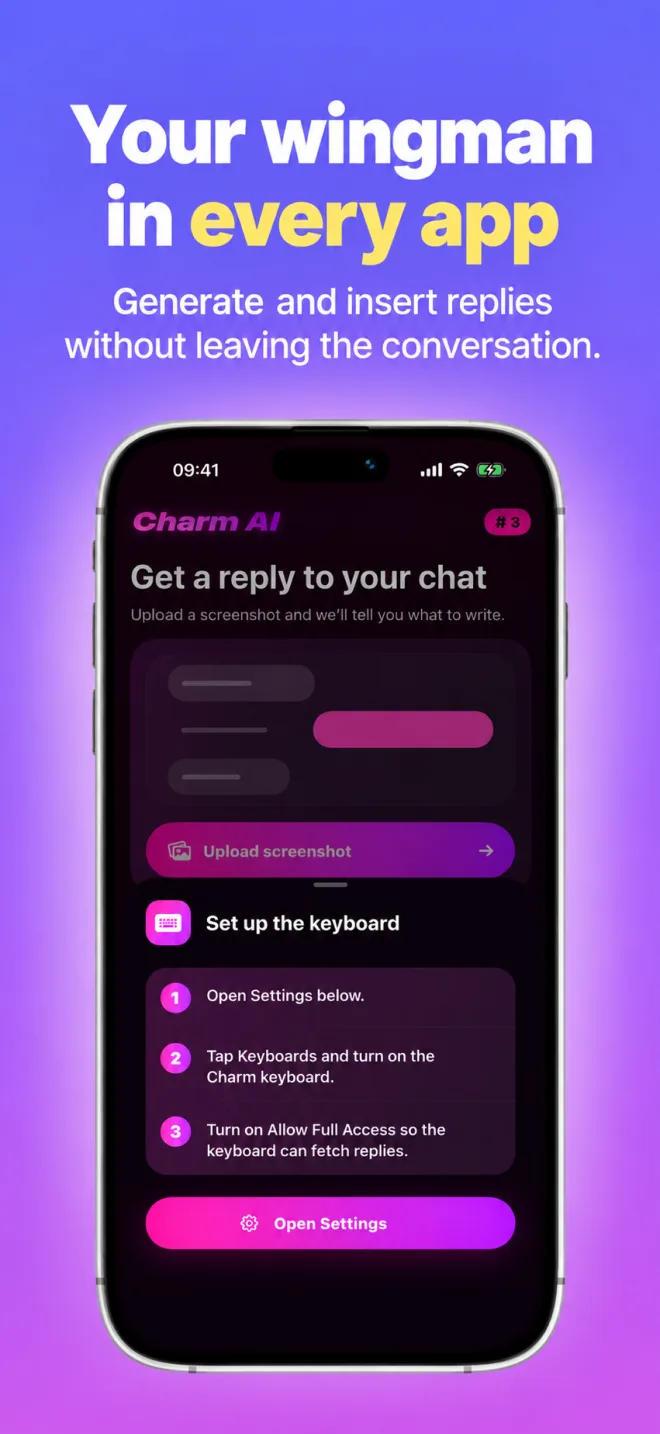
Charm AI keyboard setup steps
Keyboard setup

Guide

What you can do.

01

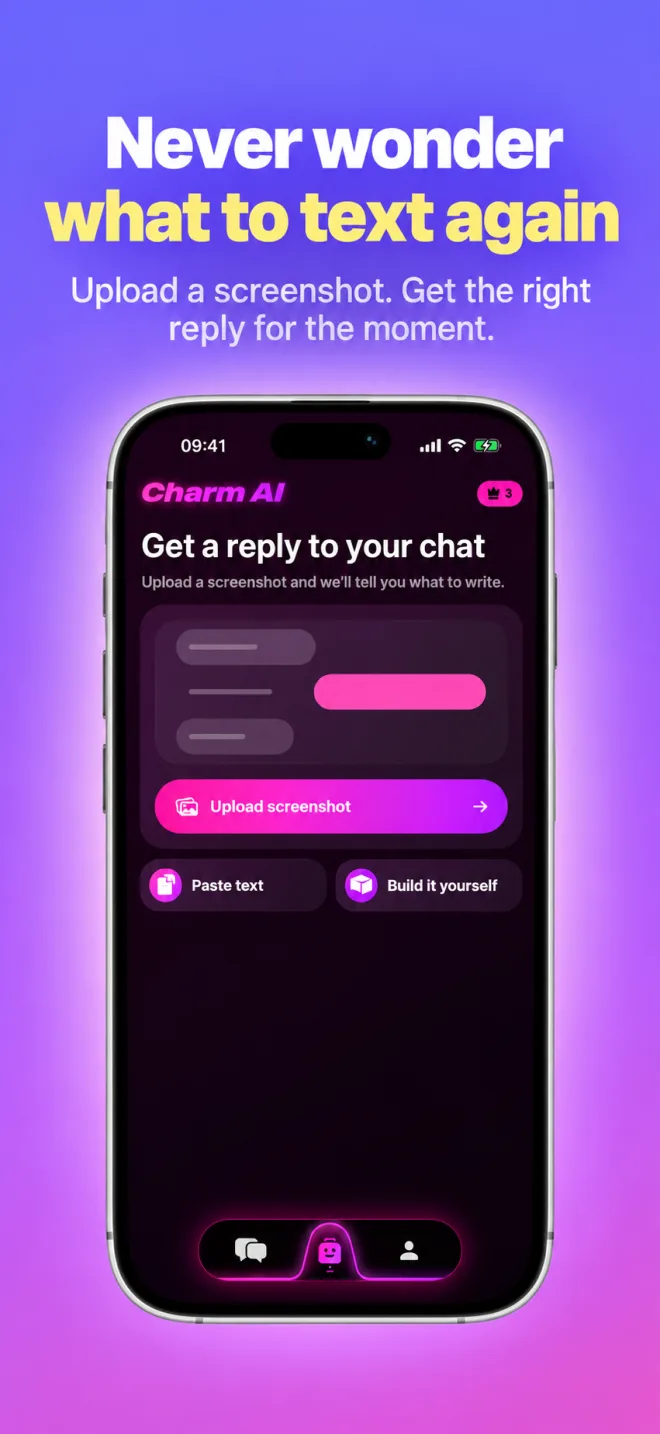
Get a reply

On the Reply tab, upload a screenshot of your chat, paste the conversation or build it message by message. Pick a tone (Warm, Flirty, Funny, Bold, Sigma, Delulu or Nonchalant) and tap Generate Reply. Turn on Explain why it works under Options to see why each reply works.

02

Read the conversation

After you add a chat, tap Analyze Chat to see their interest level, positives, red flags and a short summary. With Premium, you can also check what reply you might get before you send a message.

03

Start a conversation

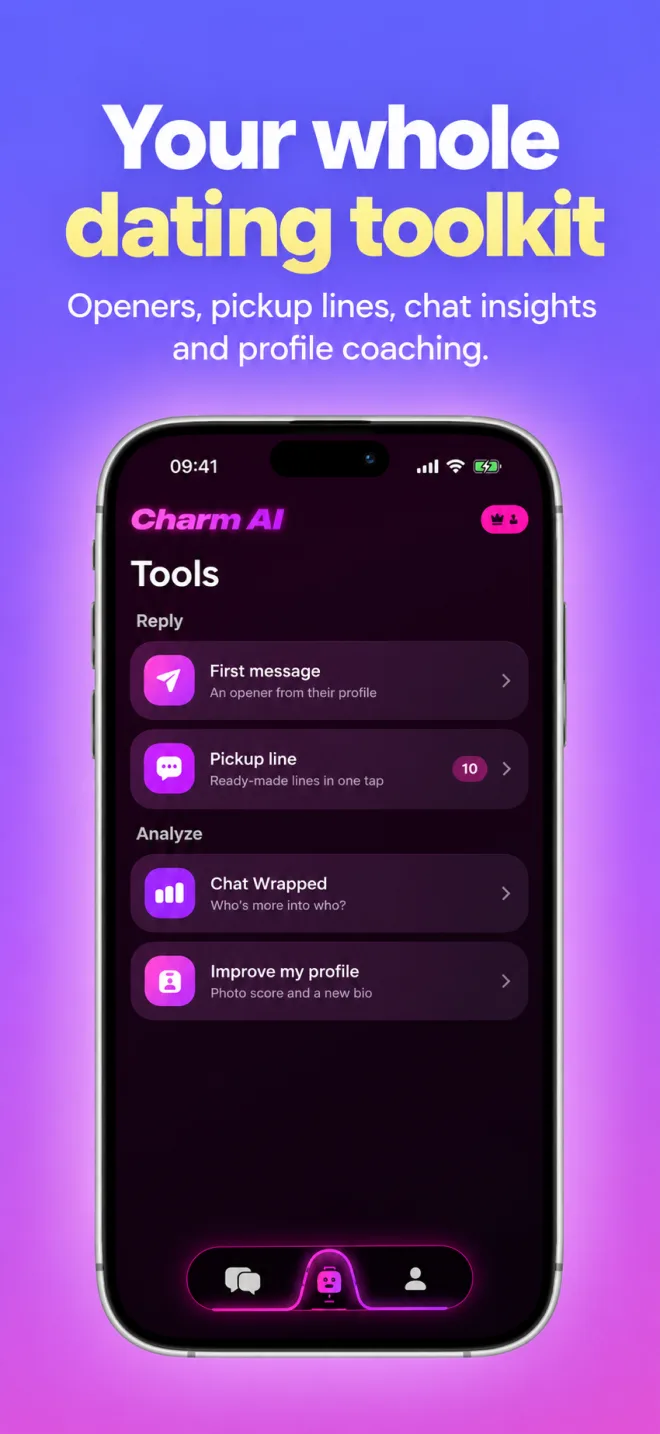
In Tools, First message writes an opener from their bio, interests or a profile photo. Pickup line writes new lines in the tone you choose; add something about them to make it personal.

04

Use Chat Wrapped

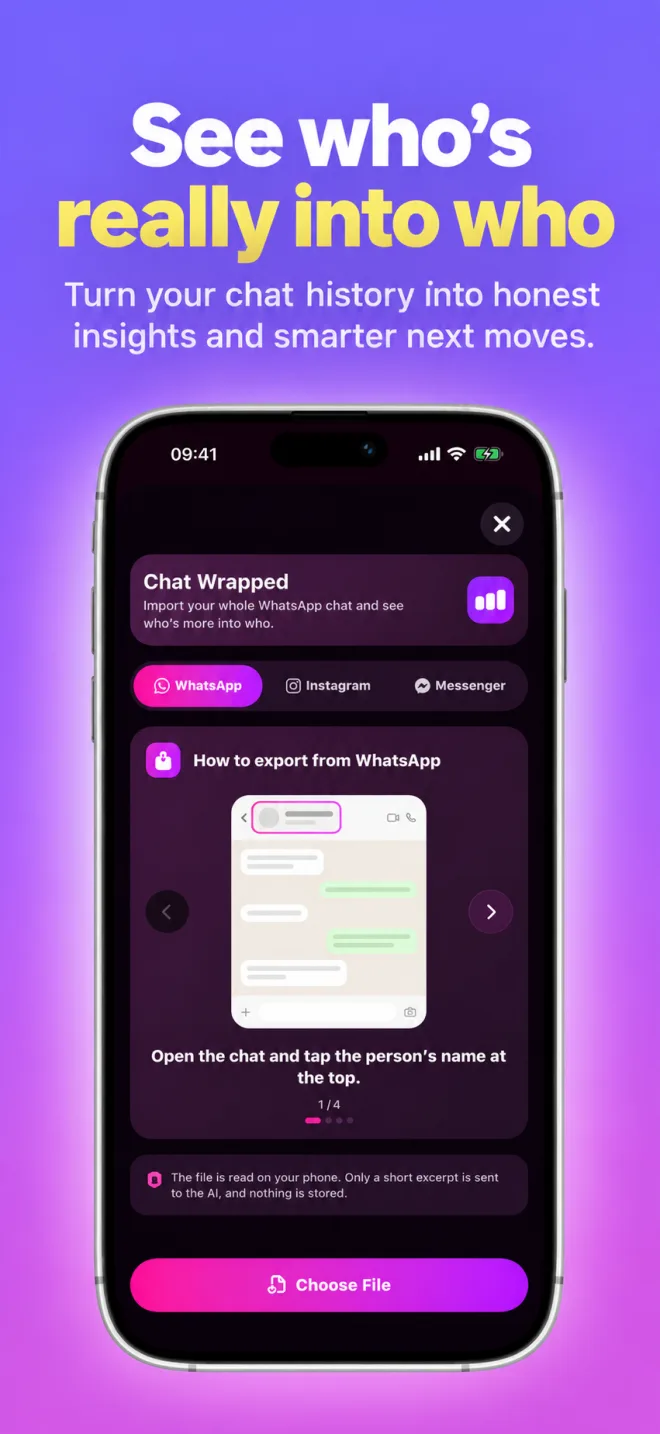
In Tools, open Chat Wrapped and choose WhatsApp, Instagram or Messenger. Follow the in-app export guide, choose the file, pick the one-on-one chat and tell Charm which person is you. You get conversation statistics and AI insights.

05

Improve your profile

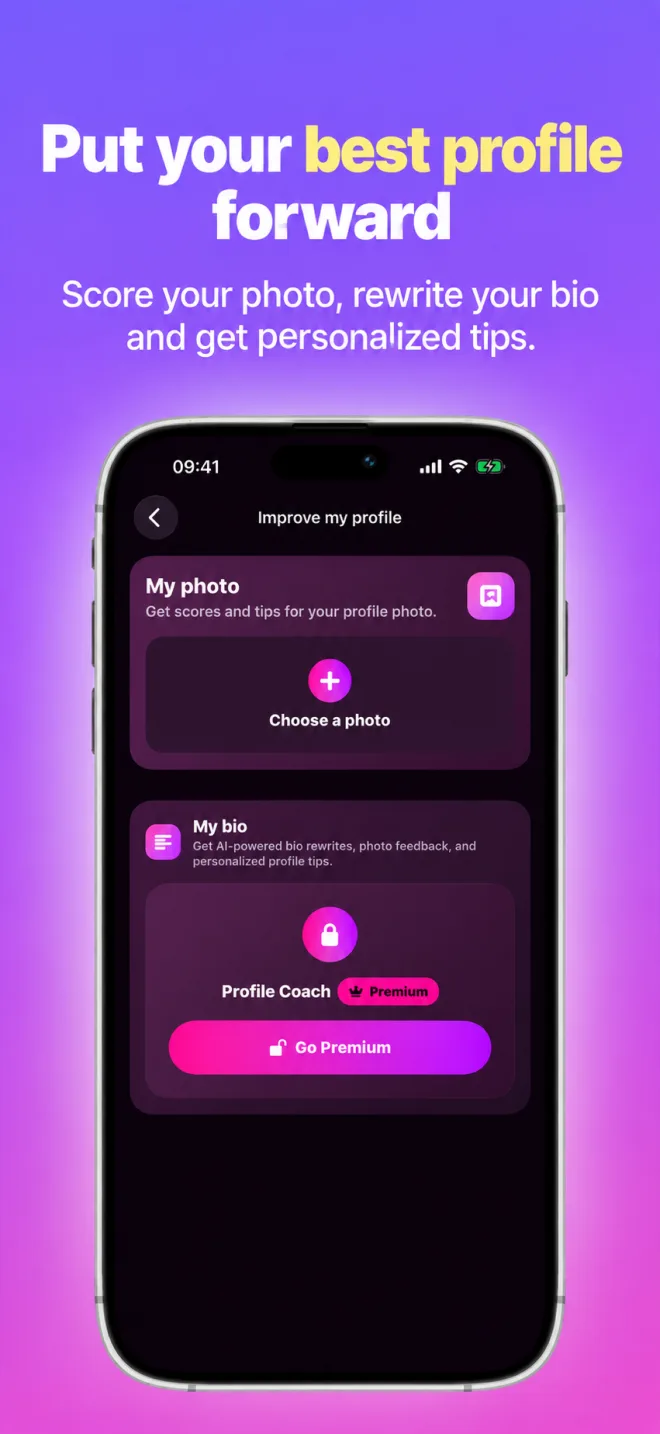
In Tools, Improve my profile scores your profile photo and gives you tips. Profile Coach (Premium) rewrites your bio and adds photo feedback and personalized profile tips.

06

Make replies sound like you

With Premium, open the Profile tab, tap Set Up My Style and paste 3 to 5 of your own messages. Then turn on My Style under Options when you get a reply. Your samples are used once to learn your style and are not stored.

07

Set up the keyboard

In the Profile tab, tap Set up the keyboard, then Open Settings. Tap Keyboards, turn on the Charm keyboard and turn on Allow Full Access. In any chat, switch to Charm, type or paste the conversation, choose a tone and tap Generate Reply. Tap a reply to insert it. Keyboard replies require Premium.

Privacy

You choose what is shared.

Before the first AI request, Charm AI asks for your permission. Only the text, OCR text, writing-style samples or photos you choose are sent through AIProxy to OpenAI to create the result you asked for. Chat Wrapped reads your export on your phone; only a short excerpt and a statistics summary are sent for the insights. History, favorites and settings stay on your device.

Read the privacy policy

FAQ

Common questions.

How do I get a reply?

On the Reply tab, tap Upload screenshot. You can also choose Paste text or Build it yourself. Add the conversation, choose a tone and tap Generate Reply.

Which tones can I choose?

Warm, Flirty, Funny, Bold, Sigma, Delulu and Nonchalant. All seven are available on the free plan, one tone at a time. With Premium, you can get replies in up to four tones at once.

What is free, and what does Premium add?

You can try the core features without paying: a few free replies, one free first message, one free analysis (Analyze Chat, Chat Wrapped or a profile photo) and a daily set of free pickup lines. The Profile tab shows which free uses you have left. Premium adds more replies and analyses, several tones at once, Reply Prediction, Profile Coach, My Style and replies in the Charm keyboard. Premium is not unlimited: AI requests are subject to fair-use limits.

How do I restore or cancel Premium?

Purchases are made through Apple. To restore a purchase, open the Premium screen in Charm AI and tap Restore. To cancel, open the Settings app on your iPhone, tap your name, then Subscriptions, and choose Charm AI. For refunds, use Apple's Report a Problem page.

Premium shows as locked after updating?

Close and reopen the app. If it is still locked, open the Premium screen and tap Restore. Your subscription is not affected.

What can Chat Wrapped import?

Exported one-on-one chats from WhatsApp, Instagram and Messenger. Group chats are not supported. Choose the platform and follow the in-app export guide.

Why does the keyboard need Full Access?

Full Access lets the Charm keyboard send the reply request you start and check your Premium status. It does not monitor what you type and does not send anything in the background.

Why do I see "Too many requests"?

AI requests from all users are subject to fair-use limits. If you see this message, wait a while and try again.

How do I delete my data?

Charm AI has no account. History, favorites, your writing style and settings are stored on your device. In the Profile tab, Reset All Data clears them, and deleting the app removes them. For anything else, see the privacy policy or email us.

Who can use Charm AI?

Charm AI is for adults aged 18 or older.

Which languages does the app support?

The app is available in 24 languages. You can change the language in the Profile tab.

Are AI replies always right?

No. AI can misread a chat or miss context. Read every reply before you send it, and only share conversations you are comfortable sharing.

Still need help?

Tell us what happened.

Include your device model, iOS version and a short description. Do not send private conversations or photos unless they are needed to explain the issue.

Email support